
Gate and site · B OnSite module
Truck Gate Management
Know which vehicle came in and went out and when, who brought it, what it carried and which photos were taken. You choose: the gatekeeper records from the browser on a phone, or number plate recognition cameras and a barrier handle the routine while the gatekeeper supervises. In both cases the movements go into the B OnSite movement log.
- Every check-in and check-out goes into the movement log with a timestamp
- Photos are stored linked to the movement and the plate, and can be found again
- You work through the photo list set for the site, step by step
- After a short call
- we set up the trial
- Cloud-based
- no server to install, the automated gate needs a CGC unit
- In the browser
- with the phone camera, no separate app
- Hungarian-language
- support by phone and email
Two variants, one movement log
Both variants write to the same B OnSite movement log. The difference is who handles the routine: the gatekeeper with a phone, or the cameras and the barrier.
Phone-based truck gate
The gatekeeper works in the browser, with a phone.
Who it is for
If you do not want to install gate hardware, or you work on a site where the gatekeeper receives vehicles in person.
What the gatekeeper does
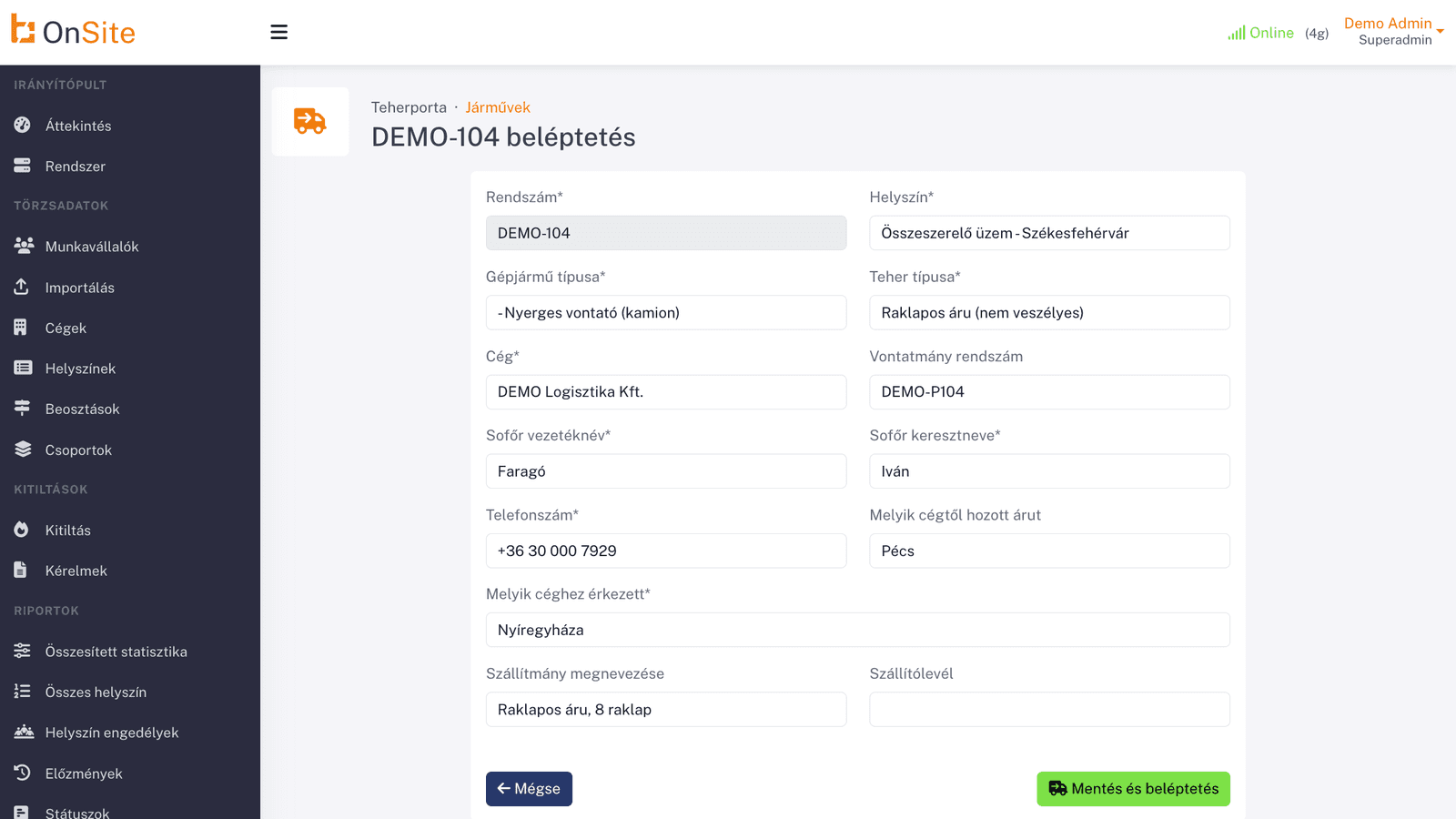
Records the plate, the driver, the company, the cargo and the delivery note, then takes the photos with the phone camera. Check-in or check-out is saved in one move.
What is automated
- Every check-in and check-out gets a timestamp
- Photos are stored linked to the movement and the plate and can be found again
- The photo list set for the site guides the gatekeeper step by step
- Traffic shows in the report and can be exported to Excel
You use it from the browser, with nothing to install. It needs a network connection to work.
Automated truck gate with the CGC gate controller
Number plate recognition cameras and a barrier, the gatekeeper supervises.
Who it is for
If, on a site with a permanent gate, you want hardware to handle the routine for pre-registered vehicles while the gatekeeper supervises.
What the gatekeeper does
Supervises: can stop an automatic opening at any time, and for an unknown plate decides with one button whether to open.
What is automated
- A camera reads the plate, so nobody types it
- The barrier opens by itself for a pre-registered plate
- Every crossing goes into the log by itself, with photos and direction, including unauthorised ones
- Light beams detect that the vehicle has fully passed, and a lamp tells the driver to go
- Keeps working when the network drops, and events sync to B OnSite later
What is CGC?
CGC is B OnSite's own gate-control hardware: a control unit at the gate that runs the number plate recognition cameras, the barrier and the signal lamp. It keeps working when the network drops, and stays in sync with B OnSite.
Needs a CGC gate control unit, number plate recognition cameras and a barrier.
How it works today, and with B OnSite
The most common problems we hear about, and what the module gives you instead.
- Today: Recording happens on paper or from memory: afterwards it is unclear who came in and went out, and whenWith B OnSite: Every check-in and check-out goes into the movement log with a timestamp
- Today: Photos are scattered, cannot be linked to a vehicle or a plate, and finding them again is impossibleWith B OnSite: Photos are stored linked to the movement and the plate, and can be found again
- Today: There is no common routine: everyone takes photos differently and from different places, in no set orderWith B OnSite: You work through the photo list set for the site, step by step
- Today: Afterwards it is unclear who brought the goods, on behalf of which company and with which delivery noteWith B OnSite: You record the plate, the driver, the company, the cargo and the delivery note
- Today: Traffic has to be pulled together by hand before the report is readyWith B OnSite: Traffic shows in the report and can be exported to Excel
- Today: Every vehicle is checked and let in by hand, even the known onesWith B OnSite: In the automated variant the barrier opens by itself for a known plate, and the gatekeeper can stop it
Built for industrial sites
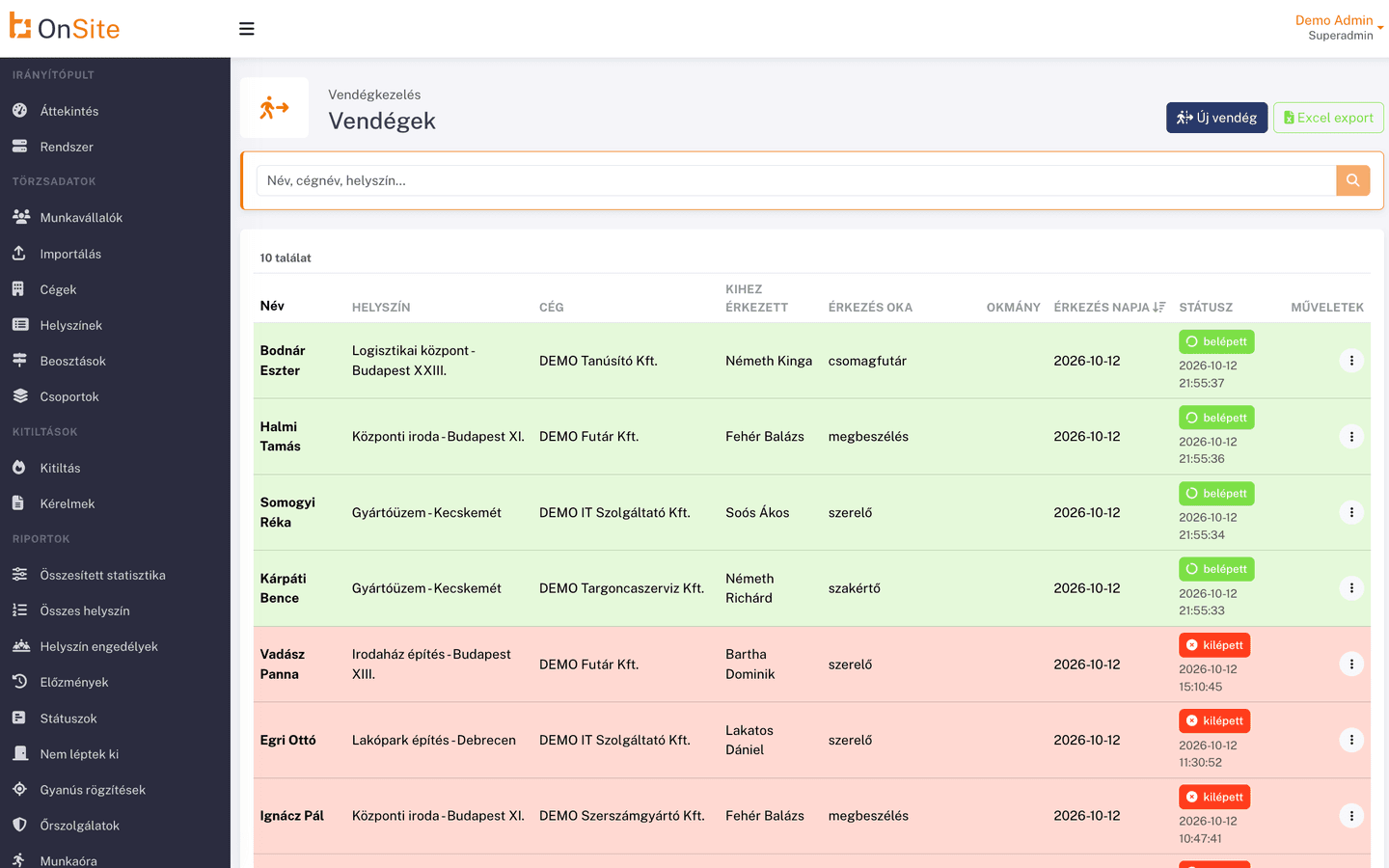
The OnSite Truck Gate module digitalizes vehicle access and record-keeping. For every arriving and departing vehicle it records who brought it, on behalf of which company, what it carries and with which delivery note. Check-in and check-out go into the movement log with timestamps, and photos are stored linked to the movement and the plate number, so they can be found later.
How it works
Four steps, the way you work on the phone-based truck gate. On the automated truck gate the cameras and the barrier handle recording, photos and logging, and the gatekeeper supervises.
- Step 1
Record vehicle and driver
At the gate you record the arriving vehicle and its driver.
- Step 2
Photo and inspection note
With the phone camera you take the photos set for the site, and you add an inspection note to the entry.
- Step 3
Check-in and check-out with timestamps
Check-in and check-out are written to the movement log with timestamps.
- Step 4
Traffic in the report
You see traffic in the logistics report and export it to Excel.
Features
Select a feature for details.
01 / 05
Phone-based recording from the browser
The gatekeeper records the plate, the driver, the company, the cargo and the delivery note from the browser, without a separate app. Check-in or check-out is saved in one move.
What you gain
- Every check-in and check-out goes into the movement log with a timestamp
- Photos are stored linked to the movement and the plate, and can be found again
- You work through the photo list set for the site, step by step
- You record the plate, the driver, the company, the cargo and the delivery note
- Traffic shows in the report and can be exported to Excel
- In the automated variant the barrier opens by itself for a known plate, and the gatekeeper can stop it
What does manual admin cost you today?
A quick estimate from your own figures: the time and money paper and spreadsheets take today.
Annual cost of manual administration
€43,841
Time spent on manual administration
2,340 hours/year
Monthly cost
€3,653
Estimate from your inputs, assuming 160 working hours per month. It is not an offer.
Who is it for?
- Sites where the gatekeeper receives vehicles in person: from the browser, on a phone, without gate hardware
- Sites with a permanent gate, where hardware handles the routine for pre-registered vehicles and the gatekeeper supervises
Security and compliance
Compliance
GDPR-compatible data handling and NIS2-compatible processes.
Identification
The platform supports RFID and QR identification, and biometric readers via integration.
Cloud-based
Available from the browser and from your phone, with no installation.
Works well together
The modules work from the same database, so there is no double data entry.
See Truck Gate Management in action
Request an online demo or a quote for this module. Our colleague will contact you within 1 business day.
You can also reach us directly
What to expect
- Filling in the form does not commit you to anything.
- A dedicated account manager gets in touch, not a chatbot.
- We handle your data as described in the privacy notice.